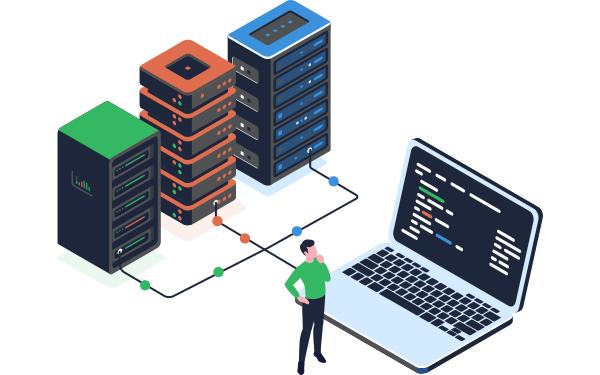
Data onboarding generally means bringing in data from some outside source into some specific system.
When we talk about customer data onboarding, we're talking specifically about taking data from your customers and loading it into your system or platform where you can work with it and return something of value to those customers.
The most common scenario we see is a SaaS platform needing to onboard data to get a new customer up and running, and there's usually also a need for some ongoing data ingestion too, so the customer is seeing their up-to-date data in the platform.
In this article, we'll be covering why customer data onboarding matters so much to how customers experience your business, the challenges that make it hard to get right, the key difference between onboarding and data migration, and the core steps every onboarding pipeline needs to handle.
Key takeaways
-
Customer data onboarding is the process of taking data from a new customer and loading it into your system so you can deliver value back to them, distinct from data migration, which is typically a one-time, wholesale system move.
-
How you handle data onboarding shapes a customer's first impression of you as a vendor, often before the contract is even signed.
-
The number one challenge in customer data onboarding is having no control over the format or quality of data you receive, every client's data arrives differently.
-
A good onboarding process should be transparent to the client, even when it's iterative and requires remapping or adjustments along the way.
-
Slow, manual onboarding doesn't just frustrate customers, it also creates a bottleneck that limits how many new customers your engineering team can bring on at once.
-
A repeatable data onboarding pipeline follows the same core steps regardless of the client: ingest, transform, validate, and deliver.
Why is customer data onboarding so important?
"The onboarding process is our first chance at making a good impression with our customers after the dollars are already spent"
- CloverDX customer Bryan Kahlig, Senior Director Product Development, Zywave
How you handle data onboarding gives a critical first impression of you as a vendor. And this can happen even before you’ve signed your customer. As part of your pitch you want to be able to give reassuring and positive answers when prospects are asking questions about your onboarding process such as:
- How painful is the data onboarding process going to be?
- How long is it going to take?
- How much work will I need to do?
- What will I need to do every month, or week, or day, to make sure my data is up to date?
And once you’ve signed the deal, you want to make sure that good impression carries on.
Of course the onboarding process may be iterative, requiring adjustments or re-mapping, but the crucial thing is that this should be as transparent to the client as possible. A lack of transparency, unexpected delays or lots of errors can leave your new customers asking themselves ‘did we make the right decision?’.
The speed and efficiency of the onboarding process is also valuable to you as the ‘onboard-er’. If your engineering team is having to do a lot of time-consuming, manual work to onboard each new client, it not only costs you money, but also means you may not be able to keep up with the number of customers you need to onboard.
These bottlenecks not only hinder your scalability but can also leave your new customers frustrated with the time it takes to get them live on your platform.
Challenges of customer data onboarding
The #1 challenge with onboarding data from multiple clients is that you’ve got no control over the format or quality you receive the data in. In an ideal world, you want to be able to take whatever data they have and easily and automatically get it into your system.
"When I go in and I speak to a prospective customer, I don't ever worry about data. I did before. The question was always ‘Where's your data? What does it look like? What format is it? How much are we talking?’
So what we were doing before was kind of going in with handcuffs. And what CloverDX really allowed us to do is go in and say ‘It doesn't matter how you're giving us this stuff, we're just going to stitch it all together.’"
Other data onboarding challenges include:
Consolidating and standardizing data formats
Data coming from different systems, in different formats, all needs to be integrated and consolidated into the format your platform needs. Every customer is going to have their own rules they need implementing, whether it's making sure First Name and Last Name are split into two fields, or converting multiple currencies to one.
Identifying and improving data quality
Especially if companies are moving to your platform from an aging legacy system, there may be an expectation that 'new system = new, improved data,' and that this migration will solve all their data quality issues. It's on you to identify those data quality issues and clean up the data as it's onboarded, not just propagate the same issues into a new platform.
Making it easy for your customers
It's common to make customers themselves do the work to get their data into the format you need. This can often cause delays and bottlenecks, especially if the customer isn't very tech-savvy or doesn't have their own engineering team to help.
It's also not a great first impression when you're asking your customer to do a lot of work with their data before delivering it to you, especially when they've just spent money with you. Wouldn't it be better to make their life easier and take the work off their hands?
Freeing up time from your engineering team
You also want to make the data onboarding process as easy as possible for your engineering teams and not overburden them with repetitive manual work.
The goal here is to avoid using expensive engineering resources to custom build a data onboarding solution for each new client, and instead create a process that can be almost entirely automated, and where any work can be managed by non-developer or less-technical staff.
Automating the customer data onboarding process
The solution to all these problems is to automate the process. Building an automated customer data onboarding pipeline enables you to:
- Onboard more customers
- Do it more quickly and efficiently
- Do it without requiring expensive engineering resources
- Provide a better value proposition for your customers (both during the onboarding process but also in being able to continuously ingest live data easily).
Your automated pipeline not only needs to handle the entire end-to-end process, but it also needs to account for the variations in format, quality and frequency of data delivery that come from different customers.
How Zywave freed up engineer time by automating data onboardingSteps of a data onboarding pipeline
If we break down the individual steps we want a data onboarding pipeline to handle, they’re generally common to every job:
- Ingest: Taking data and ingesting it from a source system, whether that’s an API to an enterprise application, a database, a file dropped into an SFTP site, or anywhere else. The data ingestion process includes being able to handle whatever structure those endpoints might provide, even if that structure might be dynamic. We also need to account for situations where the source endpoints are unavailable or uncooperative.
- Transform: Data ingestion is usually followed by a transform phase, where you need to apply some rules to shape the data to the format you need. This stage can be where some more basic data onboarding tools fall down, with limits to how data is mapped. The advantage of a more powerful platform (such as CloverDX) is that you have complete control over what the mapping looks like, with the ability to build complex business rules to transform the data however you need as it’s mapped.
- Validate: Your pipeline then needs to examine the records in the dataset to make sure they meet certain rules before you proceed any further. This generally involves doing some data quality checks, applying specific business rules, both your business rules and rules specific to each of your customers, and pulling out records that are rejected and doing something with them, before you move on to the last phase…
- Deliver: The final step is to deliver the resulting data set to some target endpoint, whether that's a storage system, API, etc. This step not only includes the actual delivery of the data, but also monitoring to make sure it completes, and audit to record the fact.
These stages apply to any type of data integration job, data migrations, system integrations, data warehousing, as well as data onboarding.
Specifically for customer data onboarding, those broad stages can be broken down into specific steps that we want our automated framework to handle automatically:
- Detecting arrival of client files to be onboarded
- Detecting format and layout of client files
- Reading client files
- Transforming/mapping
- Assessing quality
- Loading to target
- Detecting/logging at every step

The steps of a data onboarding pipeline
For the full technical walkthrough of building this in practice, see Automating customer data onboarding: How to build an end-to-end pipeline in CloverDX.
How CloverDX can be used effectively for customer data onboarding
The CloverDX Data Management Platform is designed to build and operate complex data pipelines. It enables you to design pipelines in a visual editor, but also to code whenever you need, so you’re not constrained and can build a completely custom onboarding framework for your specific needs.
CloverDX can connect to any type of data, ingest it, shape it, cleanse it and write it to any target. And automation means onboarding jobs can run automatically and unattended, with monitoring and error alerting to notify you of any issues.
Read Automating customer data onboarding: How to build an end-to-end pipeline in CloverDX to get the step by step process of how this works, and how you can build a single pipeline to work with many different clients, by using configuration files to drive the whole process.
- Read a case study of one SaaS company who saved hours of time every day by automating their customer data onboarding

Final thoughts: Onboarding is your first product experience
Customer data onboarding isn't just a technical handoff, it's the first real experience a customer has of working with your business after they've signed.
Getting the definition, the distinction from data migration, and the core challenges right is the foundation everything else builds on.
If you want to understand the real cost of getting this wrong, and how one company fixed it, read Why SaaS Engineers Are Stuck Doing Manual Customer Data Onboarding, and How to Fix It. If you're ready to go ahead and see exactly how to build a repeatable pipeline, see Automating customer data onboarding: How to build an end-to-end pipeline in CloverDX.
Getting customer data onboarding right shapes a customer's very first impression of your business. Let's talk about how CloverDX can make this process more efficient for your business.

Share