Easy learning curve and a rapidly growing ecosystem of libraries makes Python, (along with R) a favored choice for data prep and analytics. Python is no doubt one of the drivers behind modern self-service approach by data scientists and business analysts who can do much more data massaging on their own, without needing any outside help.
However, I've learned the hard way that doing all your data massaging in Python will eventually lead you into a trap of reinventing the wheel. Parsing files, handling exceptions, or scheduling scripts in cron are just a few tedious jobs you shouldn't be doing yourself in 21st century. Combine your Python skills with a data integration platform like CloverDX and you can focus on writing Python business logic and analytic pieces while leaving out the boring (yet necessary) stuff. CloverDX can take care of data parsing and formatting, connecting to on-premise and cloud data sources, jobflow orchestration, automation, monitoring, scaling out, etc. CloverDX is designed to be the data backbone of an organization and Python-based analysis and data manipulation can surely be part of it.
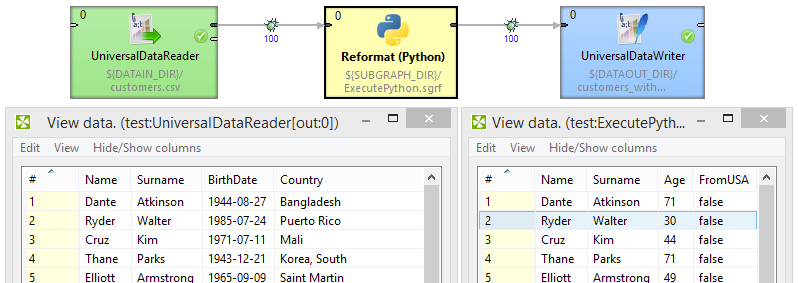
Let’s say I have some logic that I wrote in Python (let’s call it calculate_age.py - yes, amazingly it calculates person’s age from the date of birth!) and I want to use this logic inside CloverDX.
Normally I would have to use Reformat component and write it in CTL or Java but with the help of Jython – a 3rd party library for integrating Python in Java – combined with the provided PythonBridge class (see below) I can use Python directly within CloverDX!
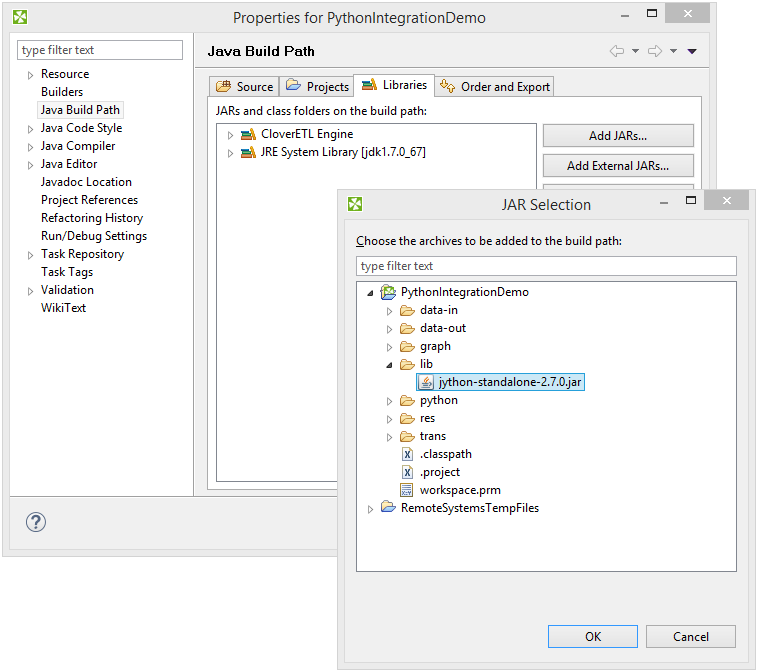
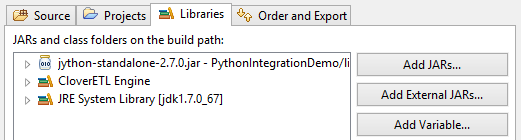
You need to have Jython library .JAR linked to your CloverDX project. Right-click a project in Navigator and select “Properties”. Go to Java Build Path > Libraries and then click “Add JARs” or “Add External JARs” (depending whether you have the JARs in your project or elsewhere).
While on the Properties screen, check that you have Java SE Development Kit (JDK) installed. JDK is required for the PythonBridge class (see below). If it says “JRE System Library [jdk1.7.0_xx]”, it’s ok.
If you want to create your Python Scripts in CloverDX, we recommend to install PyDev, an open-source plugin for Eclipse. It is a Python IDE (IntegratedDevelopmentEnvironments) and it allows Python editing with features like code-completion, refactoring, quick navigation, templates, code analysis and many more.
We’re writing a simple Reformat transformation in Python instead of the default CTL or Java.
How does it work?
In Reformat component we use PythonBridge class – a custom piece of Java code that delegates the Reformat’s transform() function to the Python script.
When writing your Python script, keep the following in mind:
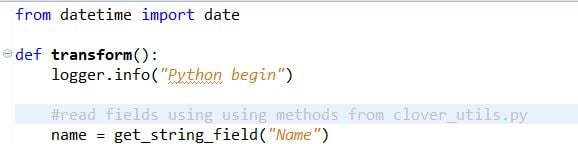
This is my python/calculate_age.py script adapted to work as a Reformat transformation:
from datetime import date

def transform():

    logger.info("Python begin")


    #read fields using using methods from clover_utils.py

    name = get_string_field("Name")

    surname = get_string_field("Surname")

    birth_date = get_date_field("BirthDate")

    country = get_string_field("Country")


    #start legacy process

    res = legacy_process_person(name, surname, birth_date, country)


    #set fields by legacy process output

    set_field("Name", res[0])

    set_field("Surname", res[1])

    set_field("Age", res[2]) set_field("FromUSA", res[3])


    logger.info("Python end")


def legacy_process_person(name, surname, birth_date, country):

    diff = date.today()-birth_date


return [

        name,

        surname,

        diff.days/365,

        country=="United States of America" ]
The code goes through three stages:
Of course, this is a truly basic example, but that’s all the magic!
Download this Python/CloverDX integration project.
Failed to install ”: java.nio.charset.UnsupportedCharsetException: cp0 As you can see, I’ve wrapped the Reformat with PythonBridge into a reusable subgraph called Reformat(Python). This way I get not only a neat icon for the component, but also a user-friendly interface for setting PythonScriptURL and PythonScript parameters making reusing the “Python enabled Reformat” much more transparent - you just provide the Python script via the parameter!
If you wonder what actually PythonBridge is and you’re famililar with Java, you can adapt it to your needs. It’s a Java class that we created specifically for the use with the reformat component. Keep in mind it’s not a standard part of CloverDX.
How does it work?
To use Python in other CloverDX components you will need to adapt the PythonBridge to match the interface of the particular component. We’ll cover this in some future blog post.
Python is a great tool for quickly implementing complex business logic or advanced analytics procedures. When you combine it with a platform like CloverDX that takes care of automating the pipeline and has built-in functionality for standard data manipulation, you can focus only on solving things that matter and streamline the rest.